
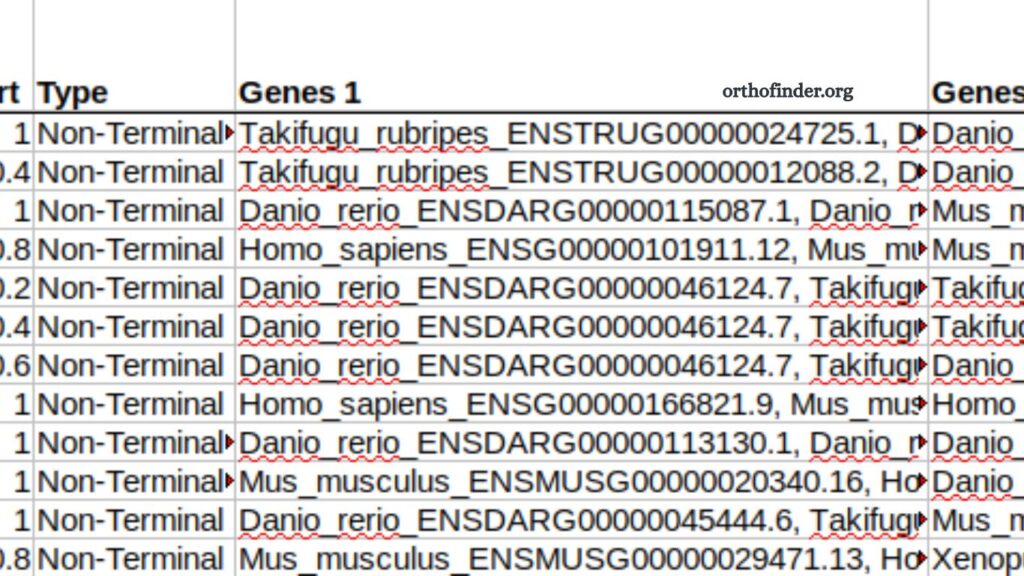
Understanding OrthoFinder results and output files is essential for anyone working in comparative genomics, evolutionary biology, or orthology-based gene analysis. OrthoFinder is widely used to identify orthologous genes across multiple species, but its output can appear complex at first glance. A clear interpretation of these results helps researchers draw meaningful biological conclusions, such as gene family evolution, species relationships, and functional conservation.
This guide explains OrthoFinder outputs in a structured and practical way, helping you confidently analyze results without confusion.
What OrthoFinder Does in Genomics Analysis
OrthoFinder identifies orthogroups, which are sets of genes that evolved from a single gene in the last common ancestor of the species being studied. It also infers gene trees and species trees, providing a complete evolutionary framework.
Key outputs typically include:
- Orthogroups (gene clusters)
- Gene trees
- Species tree
- Ortholog relationships
- Duplication events
- Statistical summaries
Each output file has a specific role in understanding evolutionary patterns.
Read More: OrthoFinder Multi-Species Analysis: How to Run It Effectively
Overview of OrthoFinder Output Folder Structure
After running OrthoFinder, several directories and files are generated. The main folder structure usually includes:
- Results_DateFolder/
- Orthogroups/
- Single_Copy_Orthologue_Sequences/
- Gene_Trees/
- Species_Tree/
- Resolved_Gene_Trees/ (if applicable)
- Comparative_Genomics_Statistics.txt
Each directory provides a different layer of interpretation.
Understanding Orthogroups
Orthogroups form the foundation of OrthoFinder analysis. The file named:
Orthogroups.tsv
contains a table where:
- Each row represents one orthogroup
- Each column represents a species
- Each cell lists genes belonging to that orthogroup
- How to interpret orthogroups
- Genes grouped together suggest shared ancestry
- Large orthogroups may indicate gene family expansion
- Missing genes in some species may suggest gene loss or incomplete annotation
Orthogroups help identify conserved and species-specific genes, which is important for evolutionary studies and functional annotation.
Single-Copy Orthologues
The folder Single_Copy_Orthologue_Sequences/ contains genes that exist as exactly one copy in all species being analyzed.
- Why they matter
- Used for constructing accurate species trees
- Represent highly conserved genes
- Reduce noise caused by gene duplication
- Interpretation
If many single-copy orthologues exist, dataset quality is typically high. Fewer single-copy genes may indicate complex duplication history or incomplete genome assemblies.
Gene Trees Explained
Gene trees are stored in the Gene_Trees/ directory. Each tree represents evolutionary relationships of genes within a specific orthogroup.
- What gene trees show
- Duplication events
- Gene divergence
- Evolutionary branching patterns
- How to interpret gene trees
- Branch lengths represent evolutionary distance
- Nodes indicate common ancestors
- Duplications are marked separately from speciation events
Gene trees help distinguish between orthologs and paralogs, which is critical for functional prediction.
Species Tree Interpretation
The Species_Tree/ folder contains the inferred species phylogeny, usually in Newick format.
Key features
- Represents evolutionary relationships among species
- Built using single-copy orthologues
- Provides a species-level evolutionary framework
How to read it
- Branch points show divergence events
- Branch lengths may represent genetic distance or time
- Closely related species cluster together
This tree is often considered one of the most important outputs of OrthoFinder.
Orthologs and Paralog Relationships
OrthoFinder distinguishes between:
- Orthologs: Genes separated by speciation
- Paralogs: Genes separated by duplication
- Output interpretation
Ortholog relationships are embedded within gene trees and orthogroup assignments. Understanding this distinction helps in:
- Functional gene prediction
- Evolutionary analysis
- Cross-species comparisons
Orthologs often retain similar biological functions, while paralogs may evolve new roles.
Gene Duplication Events
Duplication events are inferred during gene tree reconciliation. These events are important for understanding gene family expansion.
- What to look for
- Duplication nodes in gene trees
- Multiple gene copies within one species
- Expanded orthogroups
- Biological meaning
Gene duplication can lead to:
- Functional diversification
- Redundancy in biological pathways
- Adaptation to environmental pressures
Interpreting duplication patterns helps explain evolutionary innovation.
Comparative Genomics Statistics File
The file Comparative_Genomics_Statistics.txt summarizes key metrics:
Typical information includes:
- Number of orthogroups
- Percentage of genes assigned to orthogroups
- Number of single-copy orthologues
- Average orthogroup size
- How to interpret it
- High orthogroup coverage suggests good genome completeness
- Large average orthogroup size may indicate gene family expansion
- Low single-copy percentage may reflect evolutionary complexity
This file provides a quick overview of dataset quality.
Resolved Gene Trees
If present, Resolved_Gene_Trees/ contains refined gene trees that separate duplication and speciation events more clearly.
- Why they are useful
- Improve accuracy of evolutionary interpretation
- Clarify ambiguous branching
- Enhance downstream phylogenetic analysis
These trees are often used for advanced comparative studies.
Practical Workflow for Interpreting Results
A structured approach helps simplify analysis:
Step 1: Start with statistics
Check overall dataset quality using the statistics file.
Step 2: Explore orthogroups
Identify conserved and unique gene families.
Step 3: Analyze single-copy orthologues
Use them to validate species relationships.
Step 4: Study species tree
Understand evolutionary relationships between organisms.
Step 5: Inspect gene trees
Focus on duplication and functional divergence.
Common Interpretation Mistakes
Avoid these frequent errors:
- Treating all genes in an orthogroup as identical in function
- Ignoring duplication events in gene trees
- Assuming species tree equals gene tree
- Overlooking missing data in orthogroups
Careful interpretation improves biological accuracy.
Biological Applications of OrthoFinder Results
OrthoFinder outputs are widely used in:
- Evolutionary biology research
- Functional gene annotation
- Comparative genomics studies
- Drug target identification
- Plant and animal breeding research
Understanding outputs enhances research quality and biological insight.
Frequently Asked Questions
What is OrthoFinder used for?
OrthoFinder is used to identify orthologous genes across multiple species and analyze evolutionary relationships through gene and species trees.
What are orthogroups in OrthoFinder?
Orthogroups are sets of genes that originate from a single ancestral gene and are grouped based on shared evolutionary history.
How do I interpret OrthoFinder output files?
You interpret outputs by analyzing orthogroups, gene trees, species trees, and statistics files to understand gene evolution and relationships.
What is the significance of single-copy orthologues?
Single-copy orthologues are genes present as one copy in all species and are mainly used to build accurate species trees.
What do gene trees show in OrthoFinder?
Gene trees illustrate the evolutionary history of genes, including duplication, divergence, and speciation events.
Why is the species tree important in OrthoFinder results?
The species tree represents evolutionary relationships among organisms and is derived from conserved single-copy genes.
What are common mistakes when analyzing OrthoFinder results?
Common mistakes include ignoring gene duplication events, misinterpreting orthogroups, and confusing gene trees with species trees.
Conclusion
Interpreting OrthoFinder results requires a clear understanding of orthogroups, gene trees, species trees, and duplication events. Each output file contributes to a different layer of evolutionary insight, helping researchers uncover gene relationships across species with accuracy.